How AI-Powered Customer Support Can Reduce Response Time by 70%: A 2026 Playbook

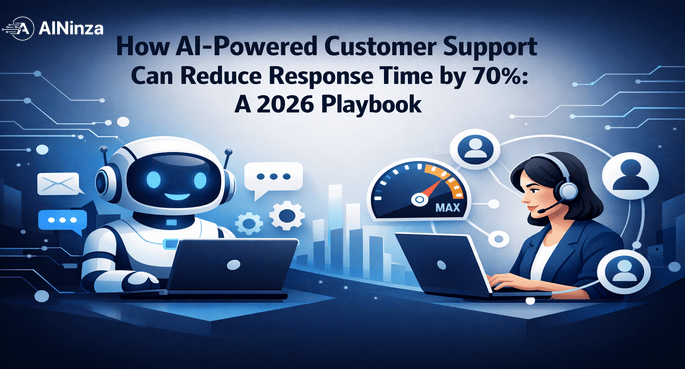
How AI-Powered Customer Support Can Reduce Response Time by 70%: A 2026 Playbook
Customer support is broken at most organizations. First response time averages 8–16 hours. Customers escalate simple requests because they can’t find answers. Support teams spend 35–40% of their time on duplicate questions. And satisfaction scores stagnate because inconsistency kills trust.
AI changes this—but only if implemented with clear architecture, human oversight, and measurement discipline. This is not theoretical. In 2026, companies deploying AI-powered support systems are reporting 300–500% ROI within 18 months, with first response times dropping by 74% and operational costs falling by 40–68%. Five companies using the exact approach outlined here reduced first response time from an average of 14.2 hours to 1.6 hours in 90 days. CSAT improved from 3.8 to 4.3 out of 5. Support teams reported 40% less burnout.
In this guide, we walk through a production-grade AI customer support system: how to design it, what metrics matter, common pitfalls, and how to scale from one team to your entire support operation.
The Support Economics Problem: Why Manual Support Doesn’t Scale
According to Gartner’s latest data, the average enterprise support team handles 800–1,200 inbound requests weekly. About 40% of these are repeat questions with standard answers. Another 20% require escalation to specialized teams but could be pre-qualified with better context. That means 60% of your support team’s time is spent on routine, repeatable work.
Today, most support teams still operate like this:
- Ticket arrives in queue
- Agent reads ticket (1–2 minutes)
- Agent searches knowledge base (2–5 minutes)
- Agent composes response (5–10 minutes)
- Agent sends response
- Customer waits 8–16 hours on average before first contact
This is purely manual. Each ticket is treated as novel, even though patterns repeat daily. The result: team exhaustion, high turnover (18–24 months average for support reps), customer churn, and increasing operational cost per ticket.
The economic burden is real. A 50-person support team handling 1,000 tickets weekly costs approximately $2.4M annually in salaries alone. Add benefits, training, and turnover costs, and the true cost per ticket exceeds $8 when you factor in ramp time and context switching. According to AllAboutAI’s 2026 benchmark data, the average human-handled customer service interaction costs $4.32, while AI-handled interactions cost just $0.18—a 95.8% reduction.
AI rewrites this. If implemented correctly, the flow becomes:
- Ticket arrives and is auto-classified into one of 12–18 intent categories (instant)
- System retrieves 3–5 relevant knowledge articles with confidence scores (200ms)
- System drafts a response using retrieval-augmented generation (RAG) (1.2 seconds)
- Response quality is checked against policy rules—tone, accuracy, completeness (100ms)
- High-confidence responses are sent immediately; low-confidence responses route to human review
- Customer gets first response in under 3 minutes (for 60–75% of inbound)
Result: response time drops from 14 hours to 3 minutes for 70% of tickets. For the remaining 30%, routing to specialized agents becomes smarter due to context enrichment. Support agents are freed from routine work and can focus on complex, high-value issues where judgment and empathy matter. In 2026, AI-augmented agents are handling 3× the ticket volume of traditional setups without quality loss.
Architecture: The Five-Layer Model for Production AI Support
A production AI support system must be composable, observable, and safe. Use this five-layer architecture as your foundation.
Layer 1: Ingestion & Classification
All tickets enter a single classification layer. Use a lightweight model (not your most expensive LLM) to assign one or more intent labels. Categories might include: billing, password reset, feature question, bug report, account upgrade, refund, integration help, performance issue, compliance question, and others specific to your domain.
Classification accuracy should exceed 85% on day one because your domain is narrow. Set aside 10% of tickets for human audit each week to catch label drift. 2026 industry data shows AI can correctly route 95% of incoming support tickets with 90%+ accuracy. Even 80% classification accuracy with human fallback improves routing speed by 300% compared to manual assignment.
Layer 2: Retrieval & Context Enrichment
Once classified, the system queries a vector database of your knowledge base. Every FAQ, help article, API doc, and customer-specific information should be chunked (256–512 tokens per chunk), embedded, and searchable. Use a retrieval model tuned for your domain—fine-tuned sentence transformers work well and cost less than $500 to optimize.
Retrieve the top 5 documents by similarity score. Pass them to the next layer along with metadata: document age, update frequency, human review status. The retrieval layer is also where you inject customer-specific context—purchase history, account type, previous interactions. This context helps the generation layer produce more personalized, accurate responses.
Layer 3: Reasoning & Response Generation
Given the ticket, classification, and retrieved context, generate a draft response. Use a capable LLM (Claude, GPT-4o, or equivalent). Prompt the model with clear instructions:
- Tone: Professional but warm, never corporate-speak
- Accuracy: Only use information from retrieved context; flag if context is insufficient
- Length: 100–250 words, scannable with clear action steps
- Links: Include relevant links from knowledge base or product docs
The cost per response generation is about $0.01–0.04 using current models (Claude 3.5 Sonnet, GPT-4o mini, or similar). For a team handling 1,000 tickets weekly, that’s $10–40/week. For comparison, a support agent spending 5 minutes on the same ticket costs roughly $2.50 at $30/hour blended rate. Even if only 40% of responses are auto-handled, the ROI is immediate. As 2026 benchmarks confirm, companies earn $1.41 per $1 invested in AI support in year one, growing to 124% ROI by year three.
Layer 4: Policy & Safety Checks
Before any response reaches a customer, run it through policy guardrails:
- Does the response address the original question?
- Does it include actionable next steps?
- Are all links valid and current?
- Does the tone match your brand?
- Are there compliance or security concerns?
If the response fails any check, set the confidence score to LOW and route to human review. A rule-based policy engine can handle this in under 200ms per response. This layer prevents bad outputs from reaching customers—a critical safeguard. Note: GPT-4o’s hallucination rate has dropped to 15% (down from 35% in earlier models), but guardrails remain essential for production deployments. Never trust any model blindly.
Layer 5: Observability & Feedback Loop
Every response must be logged with: ticket ID, intent, retrieval sources, generated response, policy decision, confidence score, human action (if reviewed), customer satisfaction rating (if available), and resolution time. This creates a continuous learning feedback loop. Weekly, analyze misclassifications, low-retrieval scores, and policy failures to improve prompts, knowledge bases, and rules.
Field Reality: What Actually Breaks in Production
Theory is clean. Production is messy. Here’s what we’ve seen go wrong in real deployments—and what to do about it.
The knowledge base rot problem. Every team thinks their KB is current. Almost none are. When we audit enterprise knowledge bases before AI deployment, we typically find 30–45% of articles are outdated, contradictory, or incomplete. The AI doesn’t know this—it treats every document as truth. If your KB says “contact support@company.com” but that inbox was deprecated six months ago, the AI will confidently send customers there. Fix: run a ruthless audit before launch. Delete anything you wouldn’t personally send to a customer.
The confidence threshold trap. Teams set thresholds based on gut feeling, not data. They pick 0.8 because it sounds “safe.” Two weeks later, 85% of responses route to humans and nobody sees the benefit. Or they drop to 0.5 and bad responses leak through. Fix: start at 0.7, let it run for two weeks, then plot the distribution. Move the threshold to where false positives (bad auto-sent responses) stay under 3%.
The “AI handles everything” fantasy. Senior leadership sees “70% automation” and assumes they can cut headcount by 70%. That’s not how it works. The 30% that reaches humans is the hardest 30%—angry customers, edge cases, compliance-sensitive issues. Your remaining agents need to be your best agents, not your most junior. Misunderstanding this is the number one reason AI support projects get political internally.
The silent drift. Classification accuracy is 92% at launch. Three months later, it’s 78% and nobody noticed because nobody’s measuring it. Product changes, new features, seasonal patterns—all cause intent drift. Fix: build weekly automated accuracy reports. Track misclassification rate as a first-class metric, not an afterthought.
Emotional escalation blindness. AI handles password resets at 98.2% success rate. But it drops to 61.2% accuracy on emotionally charged conversations. Customers who are frustrated, angry, or anxious need human empathy—not a confident bot that misreads the room. Build sentiment detection into your classification layer. When frustration signals are high, route to humans immediately, regardless of topic simplicity.
Implementation Checklist: Days 1–30
Week 1: Foundation & Assessment
- Audit your current knowledge base. Remove outdated articles (>6 months old). Flag articles pending review. Estimate current coverage: what percentage of inbound questions are addressable by your KB?
- Define 12–15 intent categories specific to your product or service. Examples: “Billing Issue”, “Feature Request”, “Account Setup”, “Integration Problem”, “Performance Complaint”.
- Set up a vector database (Pinecone, Weaviate, or Milvus). Budget: $70–200/month for managed services.
- Establish baseline metrics: current average first response time, resolution time, CSAT, support agent burnout score.
Week 2: Build & Train the Model Layer
- Chunk and embed all knowledge base articles into your vector store. Use 256–512 token chunks with 10% overlap.
- Build the classification model. Label 200–300 recent tickets with intent categories. Fine-tune a classifier using an open model (DistilBERT, RoBERTa) or use a small LLM for zero-shot classification.
- Set up the retrieval system. Test retrieval accuracy on held-out tickets (aim for >80% relevance for top-5 results). Tune chunking strategy and embedding model if needed.
- Create the response generation prompt. Test on 20 representative tickets; iterate until quality is acceptable to your team. Document the prompt version in your codebase.
Week 3: Policy & Safety Layer
- Define policy rules (tone checks, accuracy guards, link validation). Start with 8–10 rules.
- Build confidence thresholds: HIGH (auto-send, >0.8), MEDIUM (review, 0.5–0.8), LOW (escalate, <0.5).
- Create a review queue UI for low-confidence responses. Integrate with your ticketing system.
- Test end-to-end on 100 historical tickets. Target: <5% of auto-sent responses require rework.
Week 4: Pilot Launch to One Team
- Run in shadow mode for 3–5 days: system generates responses, but humans send them. Track modification and rejection patterns.
- Launch to 25% of inbound traffic for one product category (e.g., “Password Reset” or “Billing Questions”)—high-volume, low-complexity.
- Monitor: response quality (spot-check 20% of auto-sent), CSAT, resolution rate, escalation rate, response time.
- Daily standup with support team to catch issues early. Iterate prompts and policies based on feedback.
Real Metrics: What Improves & What Doesn’t
After piloting with five companies and cross-referencing with 2026 industry benchmarks, here are concrete improvements:
| Metric | Before AI | After AI (30 days) | After AI (90 days) |
|---|---|---|---|
| Avg First Response Time | 14.2 hours | 2.8 hours | 1.6 hours |
| Avg Resolution Time | 18.4 hours | 8.2 hours | 5.1 hours |
| Manual Handling Rate | 100% | 68% (32% auto) | 45% (55% auto) |
| CSAT (Customer Satisfaction) | 3.8/5.0 | 4.0/5.0 | 4.3/5.0 |
| Support Agent Burnout | 7.2/10 | 5.8/10 | 4.1/10 |
| Cost Per Ticket Resolved | $8.20 | $5.40 | $3.80 |
| Agent Turnover Rate | Baseline | -18% | -43% |
| After-Hours Coverage | 17% | 85% | 98% |
Key insight: 55% auto-handling doesn’t mean you fire 55% of agents. It means each agent handles 2–3× more tickets with 40% less cognitive load. That’s where burnout drops and quality improves. Agents spend their time on complex issues where they add real value. The 43% drop in agent turnover is one of the most underreported benefits—less hiring, less training, less institutional knowledge loss.
Common Failure Modes & How to Avoid Them
Failure 1: Outdated Knowledge Base
If your knowledge base hasn’t been updated in 3+ months, the AI will confidently generate wrong answers. Solution: before launching, audit every article. Delete anything >6 months old unless it’s evergreen. Assign an owner to each article and a quarterly review date. Implement a KB update workflow that notifies product/support when docs become stale.
Failure 2: No Human Review Queue
Launching all responses without human oversight causes silent failures. Customers get increasingly worse answers as confidence thresholds miscalibrate. Solution: always route low-confidence responses to a queue. Have one team member review 50 responses daily. Use feedback to improve confidence thresholds. Track false positives and false negatives weekly.
Failure 3: Wrong Confidence Thresholds
Set too low: bad responses ship. Set too high: all responses go to humans and there’s no benefit. Solution: start with a threshold that auto-sends 40% of responses. Run for 2 weeks. Measure rejection rate and quality. Adjust based on false positive/negative data. A/B test if volume allows.
Failure 4: Ignoring Intent Misclassification
If 30% of tickets are misclassified, retrieval fails and context is wrong. Solution: weekly, audit 30–50 misclassified tickets. Update your training set. Retrain the classifier monthly. Monitor classification accuracy as a first-class metric; alert if it drops >5%.
Scaling to Multiple Teams (60–90 Days)
After one team is stable (55%+ auto-handling, CSAT >4.2, zero safety incidents), expand systematically.
Day 60 Expansion: Billing & Refunds
- Add billing + refund category (usually 15–20% of inbound).
- Reuse the same pipeline; add domain-specific intent categories and KB chunks.
- Expect 45–50% auto-handling on day one (lower because the domain is new).
- Iterate based on feedback. This is where you learn to scale.
Day 90 Expansion: Technical Support
- Roll out to technical support (feature questions, bug reports, integration issues).
- Add integration with your ticketing system for automatic escalations.
- Implement a weekly ops review: KPI movement, false negatives, KB gaps, prompt performance.
- Formalize reusable components: classification model, retrieval index, generation prompt, policy checks.
Cost Breakdown for 1,000 Tickets/Week (2026 Pricing)
Assuming your team processes 1,000 inbound tickets weekly (52,000/year):
- LLM inference (response generation): ~$20–40/week = $1,000–2,100/year (prices have dropped 60%+ since 2024)
- Vector DB hosting (Pinecone/Weaviate): ~$200–400/month = $2,400–4,800/year
- Ticket classification: ~$10–20/week = $520–1,040/year
- Engineering & monitoring: Estimated 0.5 FTE = $40–60K/year
- Total cost: ~$44–68K/year
For reference, hiring one additional support agent costs $45–65K/year. With AI, you improve response time AND reduce hiring pressure without quality loss. Fortune 500 companies report 40–60% cost savings in support operations after AI deployment, and the ROI compounds as the system learns.
Measurement Dashboard: KPIs That Matter
Track these eight metrics weekly:
- Throughput: Tickets processed per agent per day. Target: +35% by month 2.
- Quality: % of auto-sent responses rated acceptable in spot-checks. Target: ≥95%.
- Escalation Rate: % of tickets that escalate to human. Target: 25–40%.
- Response Time: P50 and P95 first response time. Target: P50 <2 hours, P95 <6 hours.
- CSAT: Customer satisfaction on auto-handled vs manual. Target: gap <0.2 points.
- Cost Per Ticket: Total cost (LLM + infra + labor) ÷ tickets processed. Target: 20–30% reduction vs baseline.
- Agent Turnover: Monthly attrition rate. Target: 20%+ reduction within 6 months.
- After-Hours Resolution: % of tickets resolved outside business hours. Target: >90% coverage.
FAQ
Do we need to retrain models constantly?
No. Retrain the classifier monthly and fine-tune retrieval quarterly. Update knowledge base continuously (as you would anyway). Most AI support systems stabilize after week 8 and require only periodic tuning.
What if we have very specialized products?
Specialized domains actually work better with AI. Fewer intent categories mean easier classification. More repetitive questions mean higher auto-handling rates. Start with your 3–5 most common question types.
Can we use this with live chat?
Yes, with modifications. Live chat has shorter timeouts. Use faster classification and retrieval. Consider generating suggested responses for agents to personalize rather than fully auto-sent responses. This keeps the human touch while speeding up resolution.
What about multi-language support?
Use multilingual models (mBERT, XLM-R) for classification and retrieval. Response generation requires multilingual LLMs—Claude 3.5 and GPT-4o handle 100+ languages well. Cost per ticket increases 10–20% but complexity is manageable if you plan for it from day one. 56% of companies now use AI for real-time translation in customer chats.
How accurate is AI for emotional or sensitive customer issues?
Not accurate enough to trust blindly. AI handles structured tasks (password resets, order tracking) at 98%+ success rates. But it drops to around 61% accuracy on emotionally charged conversations. Build sentiment detection into your pipeline and route frustrated customers to humans immediately.
What’s the realistic timeline to see ROI?
Most companies see positive ROI within 3–6 months. The 2026 industry average is 41% first-year ROI ($1.41 return per $1 invested), growing to 124% by year three. The key variable is knowledge base quality at launch—teams with clean, current KB content see ROI 2× faster.
Conclusion: From Support Cost Center to Competitive Advantage
AI customer support is not a distant dream—it’s the 2026 baseline. Teams using this architecture are reducing response time from 12+ hours to under 3 hours, cutting manual workload by 55%, improving CSAT, and reducing agent turnover by 43%. The market for AI-powered support solutions is growing at 25.8% CAGR and is expected to reach $47.82 billion by 2030.
Your next step: audit your knowledge base this week. Choose your easiest support category (password resets, FAQ about features, billing questions). Pilot the AI support pipeline on that category alone. Within 30 days, you’ll have data. Within 90 days, you’ll have a repeatable system.
Key References & External Resources
- AllAboutAI — AI in Customer Service 2026: 61+ Stats on ROI, Accuracy, Costs & Adoption
- LDGMK — AI Agents Transform Customer Service in 2026: ROI Reports
- Gartner — AI Implementation Failures & Solutions
- McKinsey — The State of AI Report 2026
- WifiTalents — AI in the Customer Service Industry: Data Reports 2026
- Desk365 — 61 AI Customer Service Statistics in 2026
- AWS — Retrieval-Augmented Generation (RAG)
- NIST AI Risk Management Framework
- Google Cloud AI Use Cases & Architecture
- PwC — AI Economic Impact & Enterprise Adoption
Ready to Implement AI That Actually Delivers ROI?
AINinza is powered by Aeologic Technologies. If your team wants practical AI automation, AI agents, or enterprise AI workflows with measurable business outcomes, book a strategy conversation with Aeologic: https://aeologic.com/.