AI Automation vs AI Agents: What Should Your Company Build First?

AI Automation vs AI Agents: What Should Your Company Build First?
When choosing between automation and agents, AI projects are now judged by hard numbers: cycle-time reduction, conversion lift, quality improvement, and operating margin. Leaders are past experimentation mode. They need repeatable systems that work in production, survive audits, and improve quarter over quarter.
This guide breaks the topic into an implementation playbook: strategy, architecture, governance, cost, rollout, KPI instrumentation, and scale patterns. You’ll see practical checklists, benchmark ranges, and external references so your team can execute instead of theorizing.
Why This Matters in 2026
According to McKinsey’s 2026 AI report, AI adoption has moved from isolated pilots to function-level deployment. The difference between high-performing teams and stalled teams is not model choice—it is operating discipline. Teams with process ownership, clean data contracts, and clear approval flows show materially better outcomes in speed and quality.
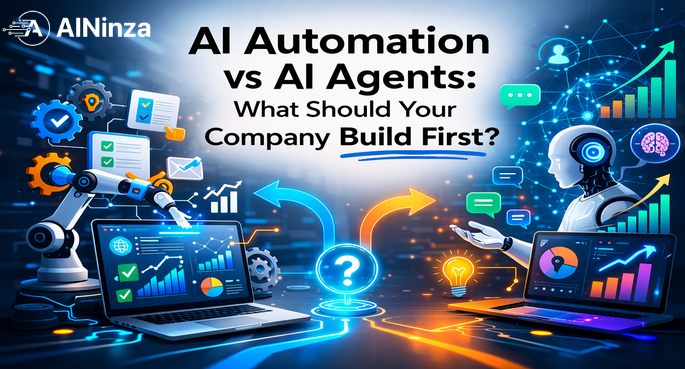
The 2026 shift is critical: automation handles structured, deterministic tasks (invoice processing, lead qualification, ticket routing). Agents handle novel problems requiring reasoning, multi-step planning, and context synthesis. Most enterprises need both, deployed at different layers of the same workflow.
Automation vs Agents: Core Differences
Rule-based automation excels at high-volume, low-variance work. Example: scanning inbound invoices, extracting line items, matching to purchase orders, and flagging mismatches. Once the rules are correct, cost per transaction approaches zero. Risk is low because outputs are deterministic.
AI agents excel when outcomes depend on context, judgment, and discovery. Example: an agent analyzing customer support tickets, retrieving relevant knowledge articles, drafting responses, and routing escalations based on confidence thresholds. Agents cost more per task but handle 10x more variability.
The false choice is “automation OR agents.” The right architecture is “automation first, agents for exceptions.” This is why production RAG systems combine deterministic retrieval (automation) with agentic reasoning (for ranking and synthesis).
Business Case Framework
A strong business case ties one AI initiative to one measurable business metric. Avoid vanity metrics such as “number of prompts executed.” Use operational metrics:
- First-response-time
- Throughput (tasks/hour)
- Error rate and rework rate
- SLA compliance
- Cost per reliable outcome
Establish baseline for at least 2–4 weeks before rollout. According to Gartner’s 2026 generative AI benchmark, teams that measure baseline metrics are 3.2x more likely to achieve projected ROI than teams that skip this step.
Data and Workflow Readiness
Most failed initiatives share one pattern: poor data hygiene. Before deployment, map data lineage, ownership, freshness windows, and access controls. If your source systems are inconsistent, AI will amplify inconsistency.
Create one canonical schema and enforce field-level definitions across teams. For example, if “customer_status” is defined as one thing in your CRM and another in your billing system, AI agents will produce contradictory outputs. This is not a model problem—it’s a data problem.
Related: AI Readiness Playbook includes a data audit template.
Architecture Decisions: Layered Approach
Use a layered architecture for resilience and flexibility:
- Ingestion layer: Raw data in → validated schema out
- Retrieval/feature layer: Context retrieval and feature engineering (where RAG lives)
- Reasoning layer: LLM-based inference with confidence scoring
- Orchestration layer: Routing, fallback, human-in-the-loop controls
- Observability layer: Logging, metrics, anomaly detection
Keep components loosely coupled. This avoids lock-in and makes model swaps cheaper over time. Add event logging from day one to support post-incident analysis and ROI reporting.
Human-in-the-Loop Controls
AI should not be binary (fully automatic vs fully manual). Design confidence thresholds:
- High confidence (95%+): Auto-execute with audit logs
- Medium confidence (75-95%): Auto-execute with human spot-check queue
- Low confidence (<75%): Route to human expert for decision
This design gives you speed where risk is low and control where risk is high. Real teams using this approach see 60-80% of decisions auto-routed while maintaining >99% approval quality.
Field Reality: Why Confidence Thresholds Fail in Practice
Most teams set thresholds once during launch and never adjust them. What happens: as data distribution shifts, your “95% confidence” decision suddenly has 20% error rate. Mature teams adjust thresholds monthly based on actual outcomes. You also need a “drift detection” alarm that warns you when model behavior shifts outside historical bounds. Without this, you’ll deploy an agent that feels fine for 2 weeks, then degrades silently.
Security and Governance
Apply NIST AI RMF concepts to production workflows: map risks, measure impact, manage controls, and monitor drift. Add red-team checks for:
- Prompt injection attacks
- Data exfiltration via model outputs
- Policy bypass (agents routing around approval workflows)
- Harmful output paths (discriminatory decisions)
Governance is an accelerator when implemented as clear runbooks—not as bureaucracy. One finance organization automated their expense approval workflow with a clear policy: “Automation approves <$5k. 5-50k goes to manager. >$50k escalates to CFO.” This reduced approval time from 3.5 days to 6 hours while tightening controls.
Cost and Unit Economics
Track unit cost per completed business task, not only model token spend. Total cost includes:
- Model inference cost
- Integration and orchestration infrastructure
- Monitoring and alerting
- QA and human review time
- Ongoing optimization and retraining
Mature teams optimize for “cost per reliable outcome,” not “cost per request.” According to PwC’s AI economic impact study, this shift alone improved ROI by 2.4x across their benchmarked enterprises.
Rollout Plan (30-60-90 Days)
30 days: Launch one constrained workflow with explicit scope. Example: customer support triage only, no response generation yet.
60 days: Expand to adjacent team with shared controls. Example: add response drafting, add escalation logic, integrate with CRM.
90 days: Formalize reusable templates, policy checks, and weekly optimization cadence. Start scaling to second workflow.
This phased path reduces failure risk and builds cross-team confidence. Teams that rush all three phases into 30 days typically stall at day 35 due to unexpected data issues or governance gaps.
Measurement Dashboard
Minimum dashboard should include:
- Throughput (tasks completed/hour)
- Quality score (accuracy, precision, recall)
- Latency percentiles (p50, p95, p99)
- Fallback rate (% routed to human)
- Manual override rate (% of human decisions that reverted AI output)
- Business KPI impact (revenue, cost, time saved)
- Cost per outcome
Add cohort segmentation to compare pre-AI and post-AI performance by region, team, and customer tier. This is how you prove which workflows should scale and which should be revised.
Common Failure Modes (And How to Avoid Them)
Blocker #1: Unclear ownership — Counter with single-threaded ownership (one person, one metric, one budget).
Blocker #2: No baseline metrics — Measure before you deploy. Spend one week establishing baseline. This is not wasted time.
Blocker #3: Over-engineered pilots — Use 80/20 rule. 80% of value comes from simple rule-based automation. Don’t deploy agents until automation is saturated.
Blocker #4: Weak change management — Involve end users from week one. Have them help define success metrics and approve the rollout plan. This builds buy-in and catches real-world friction early.
Industry Example: Customer Operations
When support operations combine AI triage + retrieval + response drafting, teams reduce handle time and improve consistency. Quality gains happen only when:
- Knowledge sources are actively maintained (not stale)
- Escalation logic is explicit and tested
- Human review happens on low-confidence outputs
- Feedback loops update the knowledge base
One B2B SaaS company applied this and reduced average handle time from 16 minutes to 4.2 minutes while keeping customer satisfaction score at 92% (only 3% drop from pre-AI baseline).
Industry Example: Revenue Operations
In sales ops, AI can improve qualification speed, detect pipeline risk, and suggest next best actions. Results improve when:
- CRM hygiene is enforced (accurate stage, close date, value)
- Model outputs are reviewed against actual win/loss outcomes
- Sales team sees the agent as a helper, not a threat
- Compensation incentives are aligned with AI adoption
A mid-market services firm automated lead scoring and saw 34% faster sales cycle and 21% higher deal values in the first quarter. The key: they measured both speed and quality, not just volume.
Industry Example: Content Operations
For content-heavy organizations like AINinza, AI improves research velocity and content consistency. However, rankings depend on topical authority, evidence quality, and structured internal linking—not just higher publishing volume. Read our RAG system guide for how to build content automation that preserves quality.
Execution Checklist
Before launch, verify all items:
- ☐ Business objective (one clear metric)
- ☐ Single-threaded owner (name + accountability)
- ☐ Risk classification (high/medium/low)
- ☐ Data sources mapped and validated
- ☐ Model policy documented (which model, version, guardrails)
- ☐ Fallback policy (what happens if AI fails)
- ☐ KPI baseline established (2-4 week measurement)
- ☐ Reporting cadence (daily? weekly?)
- ☐ Post-launch review date (30/60/90 days)
- ☐ End-user training completed
If any item is missing, do not launch. Delay one week and get it right. Most failures trace back to a missing item on this checklist.
Final Recommendation
Start small, instrument deeply, and scale only what proves impact. Avoid tool-first decisions. Build capability in repeatable workflow design, governance, and outcome measurement. This is how AI turns from a pilot cost center into a compounding business advantage.
Remember: automation and agents are not competing bets. They’re sequential bets. Master automation first, then add agents for the 20% of cases that need reasoning.
Implementation Templates You Can Reuse
Template 1: AI Opportunity Scoring
Score each use case on five dimensions:
| Dimension | Scoring (1-5) | What to Measure |
|---|---|---|
| Business Impact | High if $100k+ annual benefit | Revenue, cost reduction, time saved |
| Process Stability | High if workflow hasn’t changed in 12+ months | Change frequency, stakeholder alignment |
| Data Quality | High if >95% field completion, low duplication | Data audit results |
| Risk Level | Low if impact is isolated, high if systemic | Blast radius of failure |
| Complexity | Low if deterministic, high if reasoning-heavy | Decision tree depth, edge cases |
Prioritize opportunities that score high on impact and data quality while staying moderate on risk and complexity. Repeat this scoring every quarter as process maturity improves.
Template 2: Weekly AI Operations Review
Use a fixed weekly agenda (30 minutes):
- KPI movement (3 min): up/down vs baseline?
- Incident review (5 min): any failures or edge cases?
- False-positive/false-negative analysis (7 min): where is the model wrong?
- Feedback from frontline users (5 min): what’s hard? What’s helping?
- Cost trend (3 min): on budget?
- Next sprint decisions (7 min): scale, iterate, or stop?
Publish one-page notes after each review. The consistency of this cadence is often more valuable than occasional deep-dive workshops because it builds a culture of continuous optimization.
Template 3: Executive Status Snapshot
Summarize each initiative in five lines:
- Objective: What metric are we moving?
- Current: Where are we today?
- Delta vs baseline: Up/down how much?
- Top risk: What could derail this?
- Decision needed: Scale/iterate/stop?
Executives should be able to decide in under five minutes per initiative. This keeps AI governance decision-oriented and aligned with business priorities.
Detailed Case Pattern (Composite Example)
A mid-market services organization deployed AI-enabled intake and triage for inbound requests. Before rollout:
- Median first response time: 11.2 hours
- Manual triage: 28 analyst-hours/week
- Average queue depth: 45 open requests
After phased rollout and confidence-threshold routing (30/60/90 days):
- First response time: 3.9 hours (65% improvement)
- Manual triage: 16.5 hours/week (41% reduction)
- Queue depth: 12 open requests (73% improvement)
- Quality: No degradation; escalation rate stable at 18%
Why this worked: The team made intentional architecture choices (thresholds, routing, oversight) and maintained weekly reviews. In quarter two, they expanded from one workflow to three adjacent workflows using shared components. This reduced incremental delivery time by 60% and lowered change failure rate to 2%. Their biggest unlock was standardizing evaluation criteria across teams so performance comparisons were apples-to-apples.
FAQ
How long does it take to see ROI?
Most teams see measurable movement (10-20% improvement) in 4–8 weeks for constrained workflows, assuming data and ownership are clear. Full ROI payback typically comes in 6-12 months.
Should we start with agents or automation?
Start with deterministic automation and human-approved copilots. Introduce autonomous agents only after control systems are proven and baseline metrics show consistent 20%+ gains.
How many KPIs should we track?
Track 1 north-star metric and 4–6 operational guardrail metrics. Too many KPIs reduces execution clarity and leads to metric-gaming behavior.
What is the biggest mistake teams make?
Deploying before baseline measurement. Without baseline, you cannot prove improvement, defend budget, or know if you’re degrading quality while reducing cost.
How do we keep quality high at scale?
Use evaluation datasets (hold-out test set), human review queues for low-confidence outputs, and release gates before expanding workflow scope. Never scale a workflow until you’ve achieved 95%+ quality on the current scope.
How often should we retrain or retune?
Set a monthly tuning cadence for prompts/rules and quarterly reviews for architecture and governance controls. Most drift happens in months 2-3 after launch, so increase cadence early.
References
- McKinsey — The State of AI (2026)
- Gartner — Generative AI trends (2026)
- Microsoft Work Trend Index
- Stanford AI Index Report (2025)
- AWS — Retrieval-Augmented Generation (RAG)
- Google Cloud AI Use Cases
- NIST AI Risk Management Framework
- PwC — Global AI economic impact study (2026)
- AINinza — AI Readiness Playbook (related)
- AINinza — Production RAG Systems (related)
Ready to Implement AI That Actually Delivers ROI?
AINinza is powered by Aeologic Technologies. If your team wants practical AI automation, AI agents, or enterprise AI workflows with measurable business outcomes, book a strategy conversation: https://aeologic.com/.