AI Automation ROI in 2026: Build vs Buy vs Hybrid — A CFO-Level Implementation Playbook

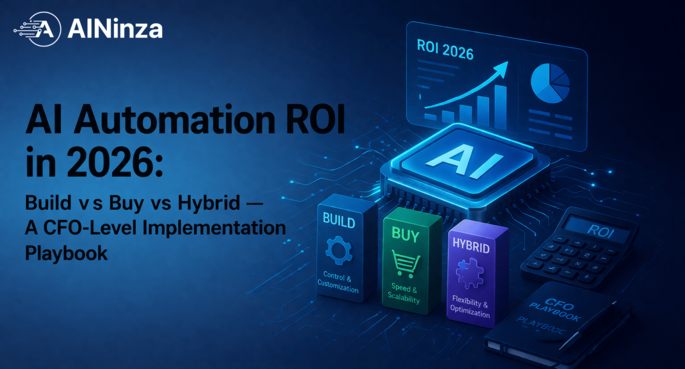
AI Automation ROI in 2026: Build vs Buy vs Hybrid — A CFO-Level Implementation Playbook
Slug: ai-automation-roi-build-vs-buy-vs-hybrid-2026
Stage: BOFU
Primary Keyword: AI automation ROI
Secondary Keywords: build vs buy AI, enterprise AI implementation cost, AI automation architecture, AI project failure modes
Most teams don’t fail at AI because the model is weak. They fail because the economics were wrong from day one.
If your CFO asks one hard question — “When exactly does this pay back?” — and your answer is still “it depends,” you don’t have an AI strategy yet. You have an experiment.
This guide is for operators making real budget decisions in 2026: founders, COOs, heads of ops, and finance leaders trying to choose between building in-house, buying SaaS AI tools, or using a hybrid architecture. We’ll break down practical cost ranges, ROI timelines, architecture choices, and where projects fail in the field.
Why this decision matters now (not next quarter)
AI adoption crossed the “nice-to-have” line. It’s now a margin and speed lever.
- McKinsey estimated generative AI could add $2.6T to $4.4T annually across use cases.
- IBM reported 42% of enterprises were already actively deploying AI, with another large share exploring deployment.
- At the task level, measurable gains are no longer theoretical: controlled studies have shown speed and quality improvements in specific knowledge-work environments.
The practical implication: your competitors are not asking whether AI works. They’re asking where it compounds fastest.
For most mid-market firms, the highest-payback domains are repetitive but decision-heavy workflows:
- lead qualification and outbound personalization
- customer support triage and resolution drafting
- proposal assembly and compliance checks
- procurement and invoice exception handling
- internal knowledge search + process copilot
These are BOFU-friendly because the value is directly measurable in hours saved, faster cycle time, and higher conversion.
The three paths: build, buy, or hybrid
1) Build (in-house stack)
You own workflow design, orchestration, model routing, data pipelines, observability, and governance.
Best for: firms with repeatable high-volume workflows and internal engineering maturity.
Risk: highest execution burden and longer time-to-value.
2) Buy (off-the-shelf AI SaaS)
You subscribe to a specialized product (support AI, AI SDR platform, document automation, etc.) and configure.
Best for: fast rollout, lower technical burden, and validated category problems.
Risk: integration limits, escalating seat/usage costs, and weaker differentiation.
3) Hybrid (recommended for most growth-stage operators)
Use proven SaaS blocks where commoditized, and custom-build where workflow economics are unique (routing logic, data coupling, approval rules, custom reporting).
Best for: speed + control + defendable economics.
Risk: architecture complexity if governance is weak.
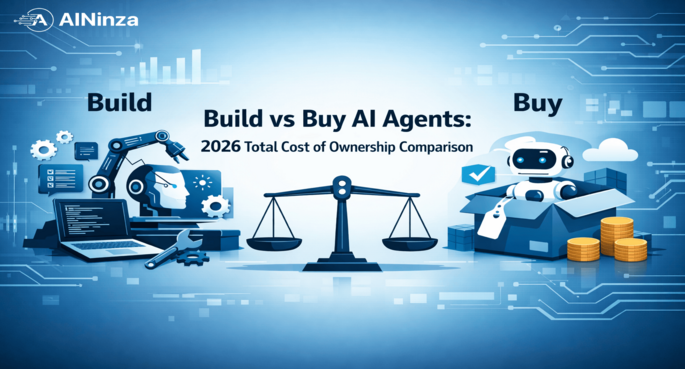
In 2026, hybrid usually wins because model capability is abundant; integration quality and operational fit are the true differentiators.
Cost model: what AI automation really costs in 12 months
Let’s make this concrete with a mid-market operations workflow (sales + support + back-office automation).
Build path (typical year-1 range: $120k–$450k)
Cost buckets:
- Discovery + workflow mapping: $8k–$30k
- Engineering build (orchestration, integrations, UI/admin): $60k–$220k
- Data preparation + guardrails: $15k–$80k
- Model/API + vector + infra spend: $1.5k–$12k/month
- Monitoring, maintenance, prompt/agent tuning: $3k–$20k/month
Hidden costs teams miss:
- change management and user training
- exception-handling workflows
- human-in-the-loop QA
- security/legal reviews for customer-facing automation
Buy path (typical year-1 range: $36k–$240k)
Cost buckets:
- Platform subscription: $2k–$20k/month depending seats/volume
- Onboarding + implementation partner: $5k–$40k
- Integration work (CRM/ERP/helpdesk): $5k–$35k
- Add-ons (usage overages, premium models, analytics): highly variable
Hidden costs teams miss:
- per-seat sprawl across departments
- duplicated tools solving overlapping jobs
- lock-in costs when workflow complexity grows
Hybrid path (typical year-1 range: $70k–$280k)
Cost buckets:
- Core platform subscriptions (selectively): $1k–$10k/month
- Custom orchestration + business logic: $25k–$130k
- Data + governance layer: $10k–$60k
- Ongoing tuning + ops: $2k–$15k/month
This path balances implementation velocity with margin control, especially when automation volume rises after initial success.
ROI math that survives CFO scrutiny
Most AI ROI decks fail because they use vanity assumptions. Use this simple operator formula:
Annual ROI (%) = ((Annual hard savings + attributable gross profit lift) – annual total AI cost) / annual total AI cost × 100
Example: RevOps automation scenario
- Team size impacted: 12 FTE
- Average loaded hourly cost: $38/hour
- Hours saved per person/week: 6.5 hours
- Recovery realization factor (realistically captured): 62%
Labor savings estimate:
12 × 6.5 × 52 × 38 × 0.62 = $95,495/year
Now add pipeline effect:
- Faster lead response and proposal turnaround improves win-rate by conservative 2.8% on a $2.2M qualified pipeline
- At 35% gross margin contribution, attributable lift: 2.2M × 2.8% × 35% = $21,560/year
Total annual value: $95,495 + $21,560 = $117,055
If annual total cost is:
- Build: $180,000 → ROI = -35% (year 1, not yet break-even)
- Buy: $72,000 → ROI = 62.6%
- Hybrid: $98,000 → ROI = 19.4% (but often stronger in year 2 due to reuse)
This is why buy/hybrid often wins initially, while build may win only if high-volume reuse justifies upfront spend.
Architecture choices that directly impact margin
A. Single-vendor AI suite architecture
Pros: fast deployment, one contract, simpler enablement
Cons: weaker control over routing, limited customization, cost curve can steepen with volume
Good fit: teams proving use case quickly in one department.
B. Composable stack architecture
Common pattern:
- LLM/API layer (multi-model access)
- orchestration + workflow engine
- vector/knowledge layer
- business systems integrations (CRM/ERP/ticketing)
- policy/observability/audit layer
Pros: better control, vendor flexibility, optimized cost/performance routing
Cons: higher design burden, requires stronger ops discipline
Good fit: companies treating AI as core operating infrastructure.
C. Hybrid domain architecture (most practical)
- Buy: category-grade functions (meeting notes, basic support copilots)
- Build: proprietary decision logic, approvals, compliance workflows, internal routing
This allows faster launches while preserving differentiation where it impacts revenue and risk.
Benchmarks from research you can actually use
You should calibrate expectations with evidence, not social media demos.
- Knowledge-worker productivity: Randomized research in professional-service settings showed meaningful gains for task speed and output quality under AI-assisted conditions.
- Developer workflows: Controlled studies from GitHub reported tasks completed up to 55% faster with AI coding assistance in specific scenarios.
- Service operations: NBER research on customer support found around 14% productivity uplift, with larger gains for less experienced agents.
- Macro value ceiling: McKinsey’s upper-bound value estimate shows the potential prize is huge — but only when deployments are embedded into workflows, not used as isolated chat interfaces.
Key takeaway: outcomes vary sharply by process design quality. The model is only one variable.
Field reality: where AI automation fails in real projects (and why)
This is the part most vendor brochures skip.
Failure pattern 1: “Prompt-first, process-later” implementation
Teams launch assistants before mapping current-state workflows, exception rates, and ownership. Result: polished demos, weak production reliability.
Fix: Process map first. Define trigger points, approvals, exception queues, and fallback paths before model prompts.
Failure pattern 2: no retrieval/data quality discipline
Bad source documents + stale KB + no versioning = confident wrong outputs.
Fix: lightweight content governance (source ranking, freshness windows, citation visibility) before scaling.
Failure pattern 3: ROI model ignores adoption friction
Deck assumes 100% utilization in month one. Real utilization is often staggered.
Fix: use phased utilization assumptions (e.g., 25% → 45% → 65% → 75%) tied to enablement milestones.
Failure pattern 4: exception handling left to humans without tooling
Automation handles happy paths but dumps messy cases into inboxes with no triage support. Net productivity gain collapses.
Fix: design exception intelligence from day one — classification, priority, ownership SLA, and resolution templates.
Failure pattern 5: governance bolted on after launch
Security and compliance reviews arrive late and force rework.
Fix: classify data sensitivity upfront, enforce role-based access, and log model decisions where needed.
In the field, most underperforming AI projects are not “AI failures.” They are workflow engineering failures.
90-day implementation blueprint (BOFU-focused)
Days 1–15: value targeting and baseline
- pick 1–2 workflows with direct revenue or margin impact
- capture baseline metrics (cycle time, error rate, conversion, cost per transaction)
- define success thresholds and stop-loss criteria
Days 16–35: pilot architecture and guardrails
- choose buy/build/hybrid path per workflow
- define data boundaries and retrieval strategy
- set human-in-loop checkpoints for high-risk decisions
- instrument event-level logging
Days 36–60: production pilot
- limited-scope rollout by team/segment
- measure realized savings (not theoretical output)
- document failure classes and tune routing
Days 61–90: scale or kill
- scale only if payback trend is visible
- prune low-adoption features
- standardize SOPs, training, and ownership
- decide long-term architecture investment
This cadence protects cash while preserving speed.
Build vs buy vs hybrid: decision matrix for operators
| Decision factor | Build | Buy | Hybrid |
|---|---|---|---|
| Time to first value | Slow | Fast | Medium-fast |
| Year-1 upfront spend | High | Low-medium | Medium |
| Long-term customization | Very high | Low-medium | High |
| Vendor lock-in risk | Low | High | Medium |
| Internal capability required | High | Low | Medium |
| Best for | Differentiated core workflows | Fast deployment | Balanced scale + control |
Rule of thumb
- Buy first when problem is standard and speed matters.
- Build first only when workflow is core IP and volume justifies capex.
- Hybrid when you need quick wins now and architecture leverage later.
Risk, governance, and compliance checklist
Before you expand from pilot to broad rollout, verify:
- data classification policy enforced by workflow
- PII handling boundaries documented
- prompt + policy versioning in place
- audit logs retained for critical decisions
- model fallback behavior tested
- hallucination-sensitive outputs require verification layer
- owner assigned per workflow (not “shared responsibility”)
This checklist is not bureaucracy. It’s what protects your ROI from silent failure.
FAQ
1) What is a realistic payback period for AI automation?
For focused BOFU workflows, many teams target 3–9 months for early payback on buy/hybrid paths. Full build programs can take longer depending on integration depth and adoption.
2) Is build always cheaper long term?
Not always. Build wins long term only when you have sustained volume, reusable architecture, and internal capability to maintain velocity. Otherwise maintenance drag can erase theoretical savings.
3) How many workflows should we automate in phase 1?
Start with 1–2 high-impact workflows. Parallelizing too early spreads ownership thin and reduces signal quality in ROI measurement.
4) What KPI should be primary: hours saved or revenue lift?
Use both, but prioritize attributable gross profit impact for executive decisions. Hours saved matter only when converted into throughput or avoided hiring.
5) Should we use one model provider or multi-model routing?
Begin simple, then move to model routing when scale justifies it. Multi-model strategy helps cost/performance optimization and resilience, but adds operational complexity.
6) What is the biggest early warning sign an AI project will fail?
When a team can demo output quality but cannot show baseline metrics, exception handling design, or owner accountability.
References
- McKinsey — The economic potential of generative AI: The next productivity frontier (2023): https://www.mckinsey.com/capabilities/quantumblack/our-insights/the-economic-potential-of-generative-ai-the-next-productivity-frontier
- McKinsey — The state of AI in early 2024 (survey insights): https://www.mckinsey.com/capabilities/quantumblack/our-insights/the-state-of-ai
- IBM — Global AI Adoption Index (enterprise adoption data): https://www.ibm.com/reports/ai-adoption
- GitHub — Research: quantifying GitHub Copilot’s impact (productivity benchmark): https://github.blog/news-insights/research/research-quantifying-github-copilots-impact-on-developer-productivity-and-happiness/
- NBER Working Paper — Generative AI at Work (customer support productivity): https://www.nber.org/papers/w31161
- Harvard Business School / BCG study — Navigating the Jagged Technological Frontier (knowledge work performance): https://www.hbs.edu/faculty/Pages/item.aspx?num=64700
- Stanford HAI — AI Index Report 2025 (adoption and ecosystem trends): https://hai.stanford.edu/ai-index
- Deloitte — State of Generative AI in the Enterprise (operationalization trends): https://www2.deloitte.com/us/en/pages/consulting/articles/state-of-generative-ai-in-the-enterprise.html
- OECD — AI policy observatory / enterprise AI adoption resources: https://oecd.ai/
Ready to implement this without burning six months?
If you want a CFO-ready AI automation plan with architecture, cost model, and 90-day execution roadmap tailored to your pipeline and operations, we can help.
AINinza is powered by Aeologic Technologies — the engineering team behind practical AI and automation systems that prioritize revenue, margin, and execution quality.
👉 https://aeologic.com/