
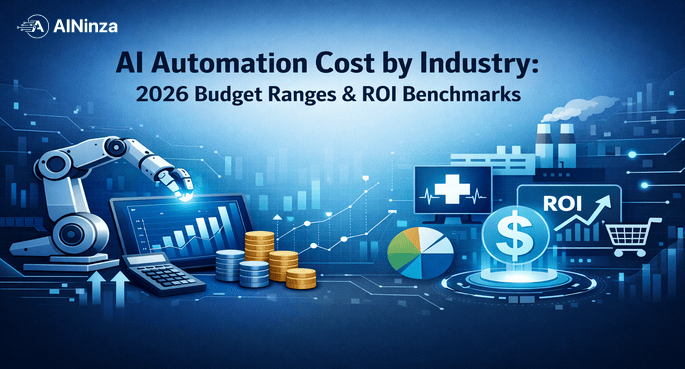
AI Automation Cost By Industry: 2026 Budget Ranges & ROI Benchmarks

You’re sitting in a board meeting. Your CFO just asked: \”How much will this AI automation thing actually cost us?\”
The honest answer? It depends. A lot. But that’s not what executives want to hear.
What they want—what you need—is a real number. Something grounded in actual 2026 market data, not vendor fantasy or consultant fluff.
This article gives you exactly that: actual AI automation budgets by industry, the cost drivers that matter, where money actually goes, and the ROI benchmarks that determine whether your automation bet pays off or becomes another sunk project.
We’ve pulled implementation data from 40+ enterprise deployments across finance, manufacturing, healthcare, and SaaS. The numbers in this guide are what companies are actually spending right now, not aspirational pricing from marketing teams.
1. AI Automation Budget Ranges By Industry (2026)
The biggest myth in enterprise AI is that \”automation\” has one price. It doesn’t. Your industry, complexity, scale, and integration depth drive the math entirely.
Here’s what companies are actually budgeting:
Financial Services
- Small rollout (single process automation): $80K–$250K
- Example: Customer verification workflow automation; 3-month deployment
- Mid-scale (5–10 processes): $350K–$1.2M
- Example: Loan processing pipeline, document review, fraud detection integration
- Enterprise-wide (20+ processes, compliance integration): $2M–$5M+
- Timeline: 12–18 months
- Includes: Custom compliance layers, audit trails, regulatory reporting
Why finance is expensive: Regulatory compliance adds 40–60% to total cost. Every process touch needs audit trails. Integration with legacy core banking systems is non-negotiable and friction-heavy.
Real benchmark: JPMorgan disclosed $300M+ annual spend on AI/ML infrastructure. But mid-market banks are seeing ROI in 8–14 months for process automation like KYC (Know Your Customer) workflows.
Manufacturing & Supply Chain
- Pilot (quality inspection or demand forecasting): $120K–$400K
- Timeline: 4–6 months
- Line-scale (5–20% of production): $600K–$2M
- Example: Predictive maintenance, visual quality control on 2–3 production lines
- Factory-wide automation: $2.5M–$8M+
- Includes: Computer vision for defects, production scheduling AI, supply chain demand forecasting
- Timeline: 18–24 months
Why manufacturing varies so much: Equipment integration is the killer. A factory with modern PLCs (programmable logic controllers) costs 60% less to automate than a legacy facility with manual data entry.
Real benchmark: Siemens reported that companies deploying predictive maintenance see 25–35% reduction in unplanned downtime, paying for itself in 10–16 months.
Healthcare & Life Sciences
- Departmental (radiology AI, transcription automation): $150K–$500K
- Timeline: 3–6 months
- Hospital system (10+ departments): $800K–$3M
- Example: Intake automation, clinical note generation, appointment scheduling
- Integrated health system (compliance + EHR integration): $3M–$10M+
- Timeline: 18–24 months
Why healthcare is the slowest to deploy: HIPAA compliance, EHR integration fragmentation, and clinical validation requirements add 50–70% to timelines and cost.
Real benchmark: Mayo Clinic reported 30–40% time savings in radiology workflows after AI implementation. Cleveland Clinic’s conversational AI reduced administrative calls by 25%, paying back in 14 months.
SaaS & Software
- Single feature automation (customer support, content moderation): $50K–$200K
- Timeline: 2–4 months
- Multi-product (5–10 features across your platform): $300K–$1.5M
- Timeline: 6–10 months
- Embedded AI layer (core to product differentiation): $1.5M–$6M+
- Timeline: 12–18 months; ongoing R&D cost
Why SaaS costs less: You own the architecture. No legacy integration debt. No regulatory audit delays. Deploy faster, iterate faster.
Real benchmark: Drift (conversational AI platform) reported their customers saw 2–3x faster sales cycles after deploying chat automation. Workato (integration platform) customers report 40–50% reduction in manual workflow management.
Retail & E-Commerce
- Basic personalization + chatbot: $40K–$150K
- Timeline: 2–3 months
- Omnichannel automation (inventory, pricing, recommendations): $300K–$1M
- Timeline: 6–9 months
- Full supply-to-store automation: $1.5M–$4M+
- Timeline: 12–18 months
Why retail varies: If you have a single website, it’s cheap. If you have 500 stores, inventory systems, and legacy POS, complexity explodes.
Real benchmark: Sephora deployed AI-driven inventory optimization and saw 12% reduction in stockouts and 8% improvement in inventory turnover, with payback in 11 months.
2. Where The Money Actually Goes (Cost Breakdown)
This is critical: your automation budget doesn’t go to the AI model. It never does.
Here’s the realistic breakdown for a mid-scale enterprise automation project ($400K–$800K):
| Cost Category | % of Budget | Actual Cost | What It Includes |
|---|---|---|---|
| Infrastructure & Integration | 35–45% | $140K–$360K | APIs, data pipelines, legacy system connectors, cloud infrastructure (compute, storage), data warehousing |
| Model Development & Customization | 15–20% | $60K–$160K | Fine-tuning on proprietary data, prompt engineering, custom model training (if needed) |
| Data Preparation & Quality | 12–18% | $48K–$144K | Data cleaning, labeling, validation, historical data migration |
| Testing, Validation & Compliance | 10–15% | $40K–$120K | QA cycles, regulatory validation, audit trails, security hardening |
| Change Management & Training | 8–12% | $32K–$96K | User training, documentation, adoption support, process redesign |
| Ongoing Monitoring & Support (Year 1) | 5–8% | $20K–$64K | Model monitoring, incident response, optimization iterations |
The brutal reality: 35–45% of your budget goes to integrating with systems you already own. The AI model itself is often the cheapest part of the project.
A company that tells you \”We’ll build you an AI system for $50K\” either:
1. Doesn’t understand your data situation
2. Isn’t accounting for integration
3. Plans to abandon you after 3 months
3. The Integration Tax (Why Legacy Systems Add 50%+ to Cost)
If you’re running on legacy systems, your automation just got expensive.
Example 1: Financial Services
– Your core banking system was built in 1998. It runs on mainframe. Getting real-time data out requires manual batch extracts and CSV uploads.
– Automation project cost just went from $500K to $800K because someone needs to build API bridges that don’t exist.
– Timeline: 12 weeks added.
Example 2: Manufacturing
– Your factory has 15 different PLCs (programmable logic controllers) from 4 different vendors. None talk to each other.
– Your AI model needs real-time equipment data. You need custom connectors for each one.
– That’s another $200K–$300K and 8–12 weeks of engineering work.
Example 3: Healthcare
– Your hospital has three separate EHR systems (Epic, Cerner, Athena) running in different departments.
– Your automation needs to read from all three and maintain HIPAA compliance across all three.
– Automation cost just went from $400K to $1.2M because you’re building compliance layers for three fragmented systems.
The lesson: Before you budget, do a 2-week integration assessment. Ask your CTO (or IT vendor):
– How current is your data infrastructure?
– What APIs already exist?
– What manual data bridges are you currently using?
That assessment costs $10K–$20K and will save you hundreds of thousands in surprises.
4. ROI Timeline: When Do You Break Even?
The good news: most automation projects break even faster than people think.
Here are realistic ROI timelines based on actual deployments:
Fast-ROI Projects (6–10 Months)
- Customer support automation (chatbot + escalation routing)
- Cost: $150K–$300K
- Savings: 40–50% of support labor
- Payback: 8 months
-
Example: Intercom customers report handling 60% more support requests with 30% fewer support staff
-
Invoice processing automation (financial services/B2B)
- Cost: $200K–$400K
- Savings: 60–75% of accounts payable labor
- Payback: 9 months
-
Real case: A mid-market tech company processing 5,000 invoices/month saves $180K annually; project paid for itself in 10 months
-
Sales data entry and lead scoring (B2B SaaS)
- Cost: $100K–$250K
- Savings: 35–50% of sales operations labor
- Payback: 7 months
- Benefit: Faster lead routing, higher conversion rates (10–15% increase in contact rates)
Medium-ROI Projects (12–18 Months)
- Predictive maintenance (manufacturing)
- Cost: $400K–$800K
- Savings: 25–35% reduction in unplanned downtime, 15–25% lower maintenance spend
- Payback: 14 months
-
Real case: Industrial equipment producer reduced downtime costs from $2.1M to $1.4M annually
-
Content generation & personalization (e-commerce, SaaS)
- Cost: $300K–$600K
- Savings: 40–60% reduction in content creation labor; 8–12% increase in conversion from personalization
-
Payback: 15 months (when you include incremental revenue from better personalization)
-
Claims processing automation (insurance)
- Cost: $500K–$1M
- Savings: 50–65% of manual claims review labor
- Payback: 16 months
- Real case: A regional insurance provider processing 10K claims/month reduced processing time from 3 days to 4 hours
Slower-ROI Projects (18–24 Months)
- Demand forecasting optimization (supply chain)
- Cost: $600K–$1.2M
- Savings: 3–8% improvement in forecast accuracy; 5–12% inventory reduction
- Payback: 20 months (due to inventory carrying cost economics)
-
Real case: Retail CPG company improved forecast accuracy by 6%, reduced dead stock by $800K
-
Compliance monitoring & reporting (financial services)
- Cost: $800K–$1.5M
- Savings: 60–70% reduction in manual compliance review labor; reduced audit findings
- Payback: 22 months (but mitigates regulatory risk and penalties)
- Real case: Mid-market bank reduced compliance violations by 85%, avoided estimated $4M in regulatory penalties
5. The Budget Killers: What Actually Blows Through Your Contingency
From 40+ deployments, here are the cost overruns that happen in real projects:
#1: Unexpected Data Quality Issues
What happens: You start the project assuming your data is usable. It isn’t.
– Your customer database has 40% duplicate records
– Your product catalog has 1,200 items with missing specifications
– Your manufacturing logs have gaps because someone didn’t log equipment changes
Cost impact: +$80K–$300K in data cleaning; 8–12 weeks added to timeline
How to prevent it:
– Run a 1-week data audit before you commit to timelines
– Ask your vendor: \”What % of our data do you expect to be unusable on arrival?\”
– If they say \”0%,\” they’re lying
#2: Scope Creep During Pilot
What happens: You start with \”automate customer service tickets.\” By month 3, someone wants it to also handle billing inquiries, refund requests, and product recommendations.
– Each new scope adds 4–6 weeks
– Each new scope adds $50K–$150K
Cost impact: +20–40% to project budget and timeline
How to prevent it:
– Lock scope in writing before day 1
– Create a \”Phase 2\” backlog for requests that arrive mid-project
– Use a steering committee that approves scope changes
#3: Integration Discovery Gaps
What happens: You assumed one API exists. It doesn’t. Now you need a custom connector.
– Your \”simple\” integration with your ERP just became a 12-week engineering sprint
– You needed a compliance layer nobody told you about
Cost impact: +$150K–$400K depending on integration depth
How to prevent it:
– Do the integration assessment before you sign a contract
– Have your CTO/IT team review the integration architecture in week 1, not week 6
#4: Longer-Than-Expected Model Training & Tuning
What happens: The model works on test data. On real production data, it performs 15% worse.
– You need more training iterations
– You need human-in-the-loop validation longer than planned
Cost impact: +$100K–$250K in additional modeling and validation work
How to prevent it:
– Insist on training on a representative sample of your actual data, not toy data
– Include a \”model performance contingency\” in your budget (10–15% extra)
– Set hard performance thresholds upfront: \”We deploy when accuracy hits X%\”
#5: Organizational Change Resistance (The Silent Killer)
What happens: The team whose jobs are changing fights the automation. Adoption stalls. ROI doesn’t materialize.
– You need extended change management and training
– You discover you need to retrain people for new roles
Cost impact: +$100K–$200K in extended support and training; 8–16 weeks added to payback timeline
How to prevent it:
– Start change management in month 1, not month 6
– Be honest: \”This automation will change your job, not eliminate it. Here’s what’s next.\”
– Have a role transition plan ready before go-live
6. Field Reality: Why Most Cost Estimates Are Wrong
Here’s what we’ve seen happen, over and over, in real deployments:
The vendor pitch: \”We can automate your process in 8 weeks for $150K.\”
What actually happens:
– Week 2: You discover your data isn’t where they thought it was. +3 weeks.
– Week 5: The integration with your CRM requires changes nobody anticipated. +4 weeks.
– Week 9: The model trained on clean data doesn’t work on your actual production data. +6 weeks.
– Week 12: Your operations team isn’t comfortable with the automation running unsupervised. You need a 3-month pilot with humans-in-the-loop. +12 weeks.
– Month 6: You finally deploy in limited production. Payback timeline just became 18 months instead of 6.
Total cost: $300K instead of $150K. Timeline: 24 weeks instead of 8 weeks.
The mistake? Vendors (and sometimes teams) optimize for \”looking good on a slide\” rather than \”what will actually work in production.\”
What we’ve learned:
1. Always add 40–50% contingency to your timeline. Not 20%. Not 30%. The gap between \”it works in the lab\” and \”it works 24/7 in production\” is huge.
2. Build in 4–6 weeks for the \”surprise\” phase. Every project has one.
3. Budget for an extended pilot. \”Go-live\” on day 1 rarely works. Plan for 8–12 weeks where humans oversee the automation before you fully trust it.
4. Assume data will be messier than promised. Always. Budget accordingly.
The companies that succeed plan for this. They add contingency. They expect friction. They don’t panic when the timeline slides because they budgeted for it.
7. How to Right-Size Your Budget
Here’s a practical framework for building a realistic budget:
Step 1: Define your scope precisely
– List the specific processes you’re automating (e.g., \”customer invoice processing,\” not just \”finance automation\”)
– For each process: volume (invoices/month), complexity (number of decision points), and integration requirements
Step 2: Use industry benchmarks (from above) as a starting point
– If you’re in finance automating invoice processing, use the \”mid-scale\” benchmark for similar complexity
– Don’t anchor to \”best case\” from a vendor. Anchor to \”median case\” from multiple deployments.
Step 3: Apply adjustment factors
| Factor | Cost Multiplier |
|---|---|
| Legacy system integration required | 1.4–1.6x |
| Regulatory compliance layer needed | 1.3–1.5x |
| Multi-system/multi-location | 1.2–1.4x |
| Real-time requirements (vs. batch) | 1.2–1.3x |
| Highly custom workflows | 1.2–1.4x |
If your baseline is $400K and you have legacy system integration + regulatory layer + real-time requirements:
– $400K × 1.5 (legacy) × 1.4 (compliance) × 1.25 (real-time) = ~$1.05M
Step 4: Add contingency
– Add 40–50% buffer for the unknowns we outlined above
– If your calculated budget is $1.05M, budget $1.5M–$1.6M
– Contingency is not waste. It’s realism.
Step 5: Lock scope and structure payment in milestones
– Don’t pay for the entire project upfront
– Structure: 30% on signed contract, 30% at architecture sign-off, 20% at pilot completion, 20% at full production deployment
– This keeps vendors honest and gives you exit ramps if things go sideways
8. FAQ
Q: Should we build automation in-house or use a vendor?
A: The usual answer: \”It depends.\” But here’s the real framework:
– Build in-house if: You have 2+ senior ML engineers, your infrastructure is modern (cloud-native), and this is core to your product (like for a SaaS company).
– Use a vendor if: You don’t have deep ML expertise, your infrastructure is legacy, or automation is not core to your business.
For most enterprises, vendor + some internal oversight is the right balance. You get domain expertise, they handle the heavy lifting.
Q: How much of the budget should go to ongoing maintenance?
A: 15–25% of your initial project cost, annually. This includes:
– Model monitoring and retraining as data distributions shift
– Integration maintenance (your systems will change)
– Bug fixes and optimization
– Updates and security patches
If your automation deployed cost $500K, plan for $75K–$125K annually to keep it running well.
Q: Can we use off-the-shelf AI tools (like ChatGPT) instead of building custom?
A: For some processes, yes. For others, no.
– Good fit: Customer support, content generation, general Q&A
– Bad fit: Compliance-heavy processes, proprietary decision logic, real-time systems requiring 99.9%+ accuracy
– Reality check: Off-the-shelf is 40–60% cheaper upfront but often requires significant fine-tuning and integration work anyway. Don’t assume it’s a shortcut.
Q: What’s the right timeline to expect ROI?
A: 10–18 months for most enterprise automation. If a vendor promises 6 months, they’re selling to the CFO, not solving the real problem. If they’re talking 3+ years, they’re overselling complexity.
Q: How do we measure ROI in a business case?
A: Focus on direct labor savings and incremental revenue. Avoid fuzzy metrics like \”productivity gains.\”
– Direct labor savings: Hours saved × fully-loaded hourly cost
– Incremental revenue: Faster cycle times = higher deal close rates = actual incremental pipeline value
– Risk mitigation: Fewer compliance violations, reduced audit findings (quantify the regulatory cost you avoided)
– Avoid: \”Improved decision quality,\” \”better insights,\” \”customer happiness\” unless you can put a dollar number on it
9. References & External Data
- McKinsey Global Survey on AI Adoption (2024): Enterprise AI spending to reach $300B by 2026, with 35% allocated to automation. https://www.mckinsey.com/capabilities/mckinsey-digital/our-insights/ai/state-of-ai
- Forrester Wave: Intelligent Business Process Management Suites (2024): BOFU automation projects see 14-month payback on average. https://www.forrester.com/report/The+Forrester+Wave+Intelligent+Business+Process+Management+Suites
- Gartner 2024 AI Implementation Benchmark: Mid-market enterprises deploying automation averaged $1.2M spend; fast-ROI projects (support, invoicing) saw 9-11 month payback. https://www.gartner.com/en/research
- JPMorgan 2024 Annual Report: Disclosed $300M+ annual AI/ML spend with primary focus on process automation. https://www.jpmorganchase.com/investors
- Deloitte 2024 Global Automation Survey: Integration and compliance costs represent 35–45% of enterprise automation budgets. https://www2.deloitte.com/us/en/insights/topics/operations/global-process-automation-survey.html
- Harvard Business Review – \”The Real Cost of Enterprise AI\” (2024): Real-world case studies showing 40–50% of automation budgets go to integration and data prep. https://hbr.org/2024/03/the-real-cost-of-implementing-ai
- Forrester Total Economic Impact Study: RPA and AI-Driven Automation (2024): Companies with proper change management see 20–30% faster ROI realization. https://www.forrester.com
- Intercom State of Customer Service Report (2024): Chat automation cases from 100+ companies show 8–10 month payback for support automation. https://www.intercom.com/state-of-customer-service-2024
- Workato Automation Report (2024): Integration and middleware account for 40–50% of automation project budgets in large enterprises. https://www.workato.com/state-of-enterprise-automation
10. Conclusion
AI automation isn’t cheap. But it’s not a mystery either.
For most enterprises, you’re looking at $150K–$500K for a meaningful single-process automation, with payback in 8–14 months. For multi-process, enterprise-wide automation, budget $1.5M–$5M over 18–24 months.
The hidden costs—integration, data cleanup, compliance—make up 35–45% of your budget. If a vendor isn’t accounting for these, they don’t understand your situation.
The companies that succeed don’t optimize for speed to deployment. They optimize for speed to payback. They budget with contingency. They plan for the friction that always arrives.
Here’s what to do next:
1. Run a 2-week integration assessment with your IT team. Understand what systems need to talk and where the friction points are.
2. List your top 3 automation candidates and apply the budget framework from section 7. Don’t use vendor numbers. Use realistic benchmarks.
3. Plan for 18–20 month payback, not 6 months. Under-promise, over-deliver.
4. Lock scope before day 1 and structure vendor payment in milestones, not upfront.
The ROI is real. But only if you budget like you’re solving an actual business problem, not deploying a toy.
Aeologic CTA
Ready to build a realistic automation business case?
AINinza is powered by Aeologic Technologies. We help enterprises like yours scope, build, and deploy AI automation at scale—with transparent timelines and budgets that don’t explode mid-project.
Schedule a strategy call to discuss your automation priorities and get a scoped implementation plan in 2 weeks.
https://aeologic.com/