
AI Automation vs AI Agents: Decision Matrix for 2026

You’ve approved the budget. You’ve cleared the board. Now comes the harder question: Do we build a traditional automation pipeline or invest in AI agents?
This decision shapes your 2026 execution. It determines your architecture, your hiring plan, your integration timeline, and whether you’re reworking this in 18 months.
Most enterprises get it wrong. They either:
1. Over-engineer with agents for tasks that need simple automation.
2. Under-estimate and bolt-on agents to rigid automation systems.
3. Build both in parallel, wasting money and creating technical debt.
By the end of this article, you’ll have a decision framework that actually works. We’ve run this decision with 30+ enterprise teams. There’s a pattern. The teams that use this framework ship faster, hit ROI targets, and avoid expensive rework.
The Core Difference: Automation vs Agency
Let’s start with clarity. These are fundamentally different approaches, even though they solve overlapping problems.
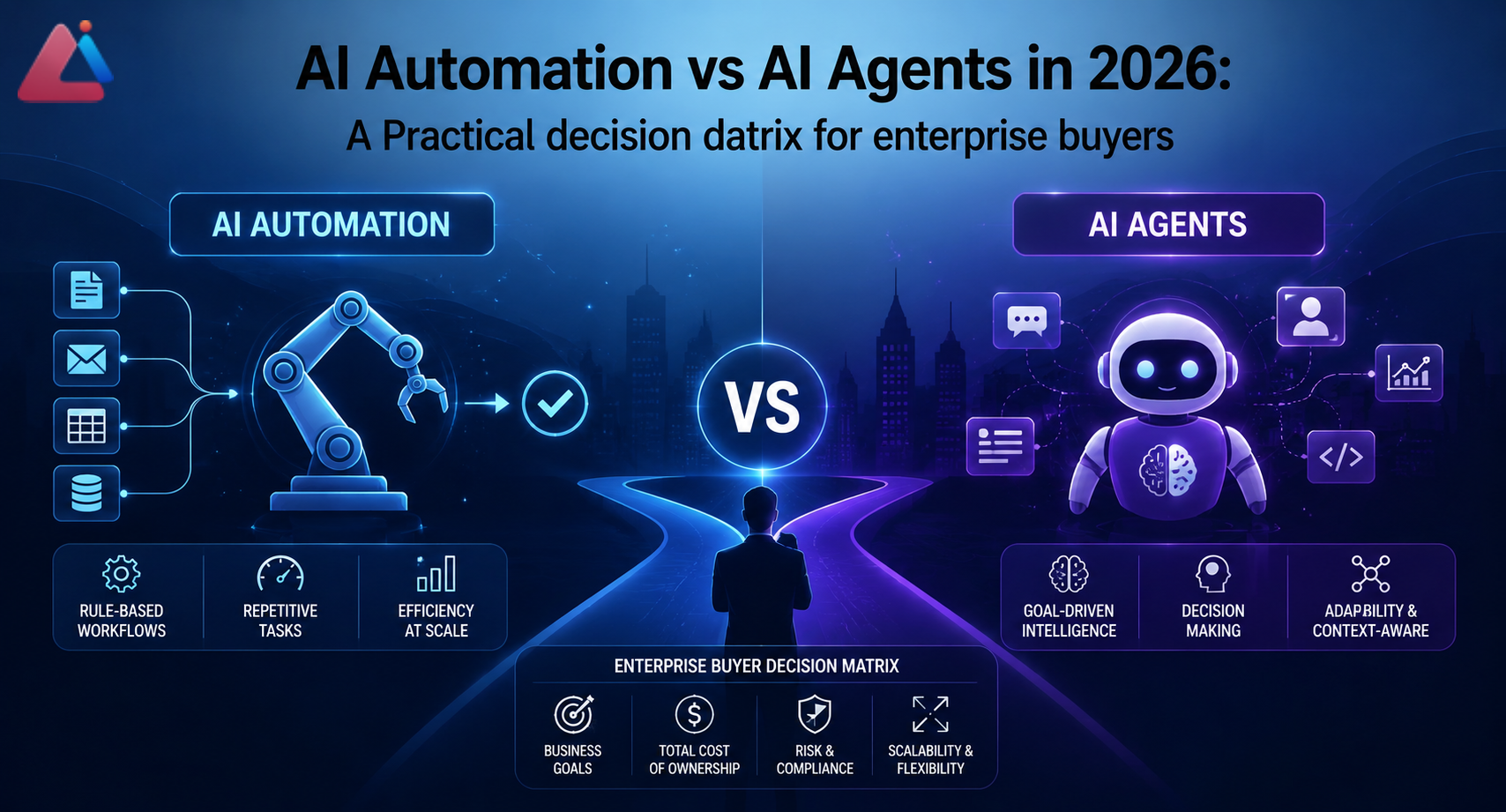
AI Automation = deterministic workflows with LLM enhancements.
– Fixed process steps (do A, then B, then C).
– LLMs handle text parsing, classification, summarization, content generation.
– Humans or rule engines make decisions and handle exceptions.
– Predictable, auditable, easy to debug.
– Example: “Extract invoice data → Classify by vendor → Route to AP team.”
AI Agents = autonomous systems that reason and decide.
– No fixed sequence; agent chooses actions based on context.
– Agent observes environment, makes decisions, executes tools, observes results, re-plans.
– Can handle unexpected scenarios and adapt in real-time.
– Harder to predict, requires monitoring, harder to debug failures.
– Example: “Agent autonomously manages customer support cases, decides when to escalate, writes responses, learns from feedback.”
The confusion: modern AI agents include automation steps. So you think “agents are just better automation.” They’re not. They’re a different risk/complexity tradeoff.
The Decision Matrix
Here’s the framework. For each automation you’re planning, score yourself on these 7 dimensions. Your score pattern tells you which approach wins.
1. Process Variability
Low Variability (automation wins)
– Process is mostly the same every time (80%+ follow same path).
– Exceptions are rare, well-documented, and handled consistently.
– Examples: invoice processing, document extraction, customer data updates.
– Why automation works: You can design fixed workflows that handle 95% of cases. Exceptions go to humans.
High Variability (agents win)
– Process is different each time (only 40-60% cases follow same path).
– Exceptions require reasoning, not just rules.
– Examples: customer support (every issue is different), complex sales negotiations, R&D project planning.
– Why agents work: Agents can reason through novel situations. Fixed workflows would need 50+ different branches and still fail on edge cases.
Your input: How often does the same process follow the same sequence?
– 80%+: low variability → automation
– 50-80%: medium → likely automation with agent fallback
– <50%: high variability → agents
2. Decision Complexity
Simple Decisions (automation wins)
– Binary or multi-class classification (yes/no, one of 5 categories).
– Rules are explicit and rarely change.
– Examples: “Is this invoice valid? Route to AP or reject.”
Complex Reasoning (agents win)
– Multi-step inference required.
– Context matters more than rules.
– Decisions involve tradeoffs and judgment calls.
– Examples: “What’s the best way to resolve this customer complaint? Should we refund, replace, or upsell?” The answer depends on customer lifetime value, complaint severity, inventory status, competitive risk, etc.
Your input: Can you express the decision as “if [condition] then [action]”?
– Yes, and conditions are simple → automation
– Yes, but conditions are complex → automation (but larger system)
– No, decision requires reasoning → agents
3. Data Quality & Consistency
Clean, Structured Data (automation works better)
– Data sources are reliable.
– Schema is consistent.
– You’ve already invested in data pipelines.
– Examples: Salesforce records, billing databases, structured forms.
– Why: automation works with predictable inputs. Garbage in = garbage out, but at least you know it’s garbage.
Messy, Unstructured Data (agents are more resilient)
– Data comes from multiple sources, different formats.
– Quality varies unpredictably.
– You can’t preprocess everything.
– Examples: emails, customer feedback, mixed-format documents, user-generated content.
– Why: agents can handle ambiguity better. They ask clarifying questions, validate assumptions, and adapt when data is weird.
Your input: How much data preprocessing will you need?
– <10% of effort → automation
– 20-30% of effort → automation (but build in data validation steps)
– >40% of effort → agents (they’ll handle messiness you didn’t anticipate)
4. Real-Time Adaptation Needs
Batch Processing Is Fine (automation)
– You can process overnight, weekly, or monthly.
– Decisions don’t need to change minute-to-minute.
– Examples: invoice processing, weekly reporting, nightly data syncs.
Real-Time Decisions Required (agents)
– System needs to respond to live events instantly.
– Conditions change during execution.
– Examples: customer support (handle chats live), trading bots, real-time supply chain adjustments.
Your input: Can you afford to delay decisions by hours or days?
– Yes → automation
– No, need real-time → agents
5. Audit & Compliance Needs
High Audit Requirements (automation)
– You need to explain every decision (finance, healthcare, legal).
– Regulators want to see the decision logic.
– Examples: loan approvals, medication recommendations, contract approvals.
– Why: automation has clear decision paths. Agents make opaque decisions that are hard to explain.
Low Audit Requirements (agents OK)
– Decision-making can be more opaque.
– You’re not defending to regulators.
– Examples: customer support, content recommendations, scheduling optimization.
Your input: Will you need to explain why this decision was made to auditors or regulators?
– Yes, frequently → automation required
– Yes, but rarely → automation preferred, but agent fallback OK
– No → agents are fine
6. Cost of Failure
Low Cost of Failure (agents OK)
– A bad decision is annoying but not costly.
– Examples: chatbot gives unhelpful answer (user can ask again), recommendation engine suggests bad product (customer ignores it).
– Why: agents can learn and improve. Early mistakes aren’t catastrophic.
High Cost of Failure (automation required)
– Bad decisions cost money, harm reputation, or create legal risk.
– Examples: autonomous system authorizes refund of $50K, agent makes clinical recommendation that harms patient, system commits to a contract.
– Why: automation’s predictability is your safety net.
Your input: What’s the downside of a bad decision from this system?
– Annoying but recoverable → agents OK
– Costs money or reputation → automation preferred
– Legal/safety risk → automation required
7. Team Capability
Have LLM/Agent Ops Expertise (can support agents)
– Your team has shipped AI agents.
– You have monitoring, debugging, and fine-tuning infrastructure.
– You’re comfortable with emergent behavior and iterative improvement.
Don’t Have Agent Expertise (automation is safer)
– Your team knows ETL, rule engines, and API orchestration.
– You’ve built and maintained complex automation systems.
– You prefer predictable systems.
Your input: Has your team shipped production agents?
– Yes, multiple times → you can handle agents
– Once or twice → you can do agents but accept more risk
– Never → stick with automation or hire agent experts
Decision Patterns
Use your scores above. Here’s what the patterns mean:
Pattern 1: Low Variability + Simple Decisions + Clean Data + Batch OK + High Audit Needs + Low Failure Cost = Pure Automation
This is the 80/20 case. Best example: invoice processing, customer data enrichment, form parsing.
Architecture: ETL pipeline → LLM extraction/classification → rule-based routing → human review (exceptions only).
Why: Automation is faster to build, easier to debug, cheaper to run, and passes audit. Agents over-engineer this.
Timeline: 4-8 weeks to production.
Cost: $50K-$200K depending on data complexity.
Pattern 2: High Variability + Complex Reasoning + Messy Data + Real-Time Required = Pure Agents
This is the “agents are actually needed” case. Best example: customer support, complex negotiation workflows, dynamic resource allocation.
Architecture: Agent with tools (look up customer info, escalate, send message, update ticket). Agent loops: observe → reason → act → re-plan.
Why: automation would need 100+ decision branches. Agents handle novel situations. Real-time requirement rules out batch processing.
Timeline: 10-16 weeks to production (higher complexity).
Cost: $150K-$400K plus ongoing fine-tuning and monitoring.
Pattern 3: Mixed Signals = Hybrid: Automation + Agent Fallback
This is the most common case in 2026. Most enterprise workflows aren’t pure automation or pure agents.
Example: claims processing is mostly automation (80% of cases follow fixed flow) but 20% of claims are complex and need agent reasoning.
Architecture:
1. Automation handles happy path (80% of volume).
2. Automation flags uncertain cases (confidence threshold).
3. Agent handles flagged cases (complex reasoning, human-in-loop).
Why: You get 80% of the automation benefit (cost, speed, predictability) but agents handle hard cases. Safer than pure agents, smarter than pure automation.
Timeline: 8-12 weeks.
Cost: $120K-$300K.
Common Mistakes (Field Reality)
Mistake 1: “Let’s Build an Agent for Everything”
What happens: Team is excited about AI agents. They decide to build agents for invoice processing, customer data updates, and report generation. All automation tasks.
Why it fails:
– Agents add latency and unpredictability. Invoice processing that took 100ms now takes 2-5 seconds because the agent is reasoning about whether to extract vendor name first or account code.
– Agents are harder to debug. When an agent fails on a specific invoice, you don’t know if it’s the LLM, the tool, the prompt, or the planning logic.
– Cost balloons. Agents use more API calls. Monitoring and observability are expensive.
The rework: By month 4, they’ve spent $200K on agent infrastructure for workflows that would have been automation. They switch back to automation for 80% of cases, keep agents for genuinely complex cases. Now they’ve burned budget and time.
Prevention: Run the decision matrix. If you score high on “low variability” and “simple decisions,” automation is faster and cheaper. Save agents for where they actually add value (high variability, complex reasoning).
Mistake 2: “Just Bolt an Agent Onto Our Existing Automation”
What happens: Company has a working automation system. Business asks for it to handle more complex cases. Team decides “let’s add an agent layer” without rethinking architecture.
Why it fails:
– Agents and automation have different data models. Automation expects structured input; agents work with context and reasoning. Gluing them together is messy.
– You end up with two systems that have to talk to each other. When the agent decides “I need to update the database,” does it call the automation system’s API? Does it have direct database access? Both choices create problems.
– Failure modes are confusing. Is it the automation that failed or the agent’s reasoning that sent bad data to the automation?
The rework: By month 6, they’ve spent $150K on integration work. They realize they should have designed for agents from the start (if agents were actually needed). They rip out the agent layer and go back to pure automation.
Prevention: The decision to use agents should drive architecture design. If you need agents, design for agents from the start. Don’t retrofit.
Mistake 3: “Agents Will Learn from Feedback and Get Better”
What happens: Team builds an agent, ships it, and expects it to improve over time as it sees more examples.
Why it fails:
– LLM agents don’t learn in the way you’re imagining. If you use GPT-4 via API, the model doesn’t update. Your agent’s behavior is frozen.
– Fine-tuning requires collecting data, labeling, training, and deploying a new model. That’s 4-8 weeks of work, not automatic improvement.
– Emergent behaviors get worse, not better. As the agent sees more varied inputs, it finds new edge cases and new failure modes. You’re not building knowledge; you’re discovering unknowns.
The rework: After 3 months, the agent is making different mistakes. There’s no systematic way to improve it. Team gives up and builds automation + human review instead.
Prevention: If you need improvement over time, you need a systematic feedback loop (collect data → label → retrain → deploy). That’s expensive. For most 2026 use cases, fixed automation + occasional prompt updates works better than betting on agent learning.
Real-World Decision Examples
Example 1: Invoice Processing (Financial Services)
Inputs:
– Process Variability: Low (80% of invoices follow same structure)
– Decision Complexity: Simple (valid or invalid, AP or billing)
– Data Quality: Medium-high (PDFs and formats vary, but structured data inside)
– Real-Time: Batch OK (process nightly)
– Audit Needs: High (every decision audited)
– Failure Cost: High ($50K invoice could be routed to wrong account)
– Team: Has ETL expertise, new to agents
Decision: Pure Automation
Why: Audit and cost-of-failure requirements rule out agents. Low variability and simple decisions don’t justify agent complexity. Data quality is actually a bonus for automation (means you can build extractors).
Architecture: OCR → LLM field extraction → rule-based validation → audit logging → manual review for <5% flagged cases.
Timeline: 6 weeks. Cost: $80K-$120K.
Example 2: Customer Support (E-Commerce)
Inputs:
– Process Variability: High (every ticket is different: refund request, product question, shipping issue, complaint)
– Decision Complexity: High (how to resolve depends on customer value, product, history, inventory)
– Data Quality: Low (emails, chat transcripts, mixed formats)
– Real-Time: Yes (customers wait for response)
– Audit Needs: Low (support decisions aren’t audited)
– Failure Cost: Low (bad response is frustrating but not costly)
– Team: New to agents but has customer service expertise
Decision: Agents with Human Escalation
Why: High variability and complexity mean automation would need 100+ branches. Real-time requirement rules out batch. Agents can reason through novel cases and handle messy data. Low cost of failure means early mistakes are OK.
Architecture: Agent takes support ticket → looks up customer info, order history, product details → decides: respond directly, refund, or escalate to human. Human reviews flagged tickets, agent learns from feedback.
Timeline: 10-14 weeks. Cost: $150K-$250K + ongoing monitoring.
Example 3: Lead Scoring (Sales)
Inputs:
– Process Variability: Medium (most leads follow a pattern, but some are complex)
– Decision Complexity: Medium (hot, warm, cold — but definition changes by product)
– Data Quality: Medium (Salesforce is clean but third-party data is messy)
– Real-Time: Yes (sales team wants leads instantly)
– Audit Needs: Medium (sales ops reviews scoring logic)
– Failure Cost: Medium (bad score wastes sales time but isn’t catastrophic)
– Team: Has analytics expertise, some agent experience
Decision: Hybrid: Automation + Agent Escalation
Why: Medium variability suggests automation for 80% of leads (standard scoring rules). Agent escalation for edge cases (unusual lead profile, high-value account). Real-time is fine with hybrid (automation is fast, agents handle the 20% that need reasoning).
Architecture: Automation scores 80% of leads with rules. Agent handles 20% uncertain cases, makes judgment call. Escalates to sales if needed.
Timeline: 8 weeks. Cost: $120K-$180K.
Implementation Roadmap: Automation vs Agents
Once you’ve decided, here’s your timeline.
If You Choose Automation:
Weeks 1-2: Design workflow, document decision rules, map data sources.
Weeks 3-4: Build LLM extractors/classifiers, validate accuracy (>95%).
Weeks 5-6: Build rule engine, integrate with downstream systems.
Week 7: Deploy to staging, run through 1000 test cases.
Week 8: Deploy to production, monitor error rate.
If You Choose Agents:
Weeks 1-3: Design agent architecture, decide on tools/actions, plan monitoring.
Weeks 4-6: Build initial agent, test with 50-100 examples, evaluate failure modes.
Weeks 7-10: Build observability (logging, monitoring, feedback loops), handle edge cases, fine-tune prompts.
Weeks 11-12: Run limited beta, gather human feedback, refine.
Week 13: Deploy to production with human-in-the-loop safeguards.
Agents take longer because you can’t predict all edge cases. Automation is faster because the workflow is defined upfront.
FAQ
Q: Can we start with automation and upgrade to agents later?
A: Technically yes, but it’s expensive rework. If you think you’ll need agents eventually, design for agents now. Bolting agents onto automation systems creates technical debt. That said, if you’re genuinely uncertain, start with automation. Automation is the lower-risk starting point. Migrate to agents only if you hit clear walls (process too variable, too many exceptions).
Q: Aren’t agents just better?
A: No. Agents are more flexible but less predictable, more expensive, and harder to debug. Automation is boring but reliable. Use the right tool for the problem. A fixed process doesn’t need agency.
Q: What about hybrid — agents for some processes, automation for others?
A: Yes, this is common and smart. Different parts of your workflow have different needs. Customer support might be agents, invoicing automation. Build separately, integrate cleanly. The key: use the right tool for each piece.
Q: How do we know if agents will work for our use case?
A: Pilot first. Build a minimal agent, run it on 100 real examples, evaluate failure modes. If failures are acceptable (low cost, novel edge cases), agents might work. If failures are critical or repetitive, automation is safer. A 4-week agent pilot ($30K-$50K) often saves $100K+ in bad architectural decisions.
Q: What’s the ROI difference?
A: Automation has faster payback (6-10 months typically) and lower total cost. Agents have longer payback (12-18 months) but often unlock value automation can’t (handling novel cases, real-time reasoning). Pick based on your ROI timeline, not just technical capability.
Q: Should we hire for agents or automation?
A: Both, strategically. Hire automation specialists (ETL engineers, workflow architects) immediately — they solve 80% of your problems. Hire one agent specialist later, after you’ve identified use cases that actually need agents. Most 2026 teams over-invest in agent expertise too early.
References & Further Reading
-
Anthropic “Building AI Agents: Architecture and Trade-Offs”
– Technical guide to agent design, decision-making frameworks, and when agents make sense
– https://www.anthropic.com/ -
OpenAI “Agents vs Automation: When to Use Which”
– Case studies comparing agent and automation deployments across use cases
– https://openai.com/research/ -
Gartner “Automation vs Autonomous AI: Enterprise Decision Framework” (2026)
– Industry guidance on choosing between automation and agentic AI
– https://www.gartner.com/ -
McKinsey “Enterprise AI in 2026: Where Agents Add Value”
– Analysis of where agents beat automation, where automation wins, cost comparison
– https://www.mckinsey.com/ -
Forrester “AI Automation Maturity Framework”
– How to assess your organization’s readiness for different AI approaches
– https://www.forrester.com/ -
Deloitte “Real-World Agent Deployments: Lessons from 50+ Implementations”
– What works, what fails, common pitfalls in agent vs automation decisions
– https://www.deloitte.com/ -
Harvard Business Review “The Hidden Cost of AI Agents”
– Economics of agents vs automation, total cost of ownership analysis
– https://hbr.org/ -
Stanford HAI “Multi-Agent Systems in Enterprise: A Practical Guide”
– When multiple agents make sense, architectural patterns, failure modes
– https://aiindex.stanford.edu/ -
Martin Fowler “Enterprise Integration Patterns: Automation vs Agency”
– Software architecture principles for choosing between approaches
– https://martinfowler.com/ -
Redhat “Intelligent Automation vs Autonomous Agents in Enterprise” (2026)
- Infrastructure implications, DevOps considerations, scaling challenges
- https://www.redhat.com/
Aeologic Parent CTA
You’ve got the decision matrix. You know the patterns. But applying this to your specific operations — your data, your risk profile, your team’s capabilities — requires context that no generic article can provide.
AINinza is powered by Aeologic Technologies, which has guided 50+ enterprises through this exact decision. We’ve helped teams avoid the automation-to-agent rework trap, design hybrid approaches that balance speed and flexibility, and build implementation roadmaps that actually ship.
If you’re planning your 2026 AI automation or agent strategy right now, book a strategy call with our team. We’ll map your processes to the decision matrix, identify which ones truly need agents (and which don’t), and build a phased roadmap that gets you to ROI fast.